
WordPress database error: [Table 'datacapsystemscom.wp_rtafar_redirects' doesn't exist]
SELECT id, source, destination, redirect_type, match_type FROM wp_rtafar_redirects WHERE source_hash = 'fc511e12f09c88078c2cdb653a7f0dc7608e46e2' AND enabled = 1 AND match_type = 'exact' LIMIT 1

M400 Ethernet - Datacap Systems, Inc.

Verifone M400 - Ethernet

What do I need to connect the M400?

  • Verifone M400 PIN Pad
  • Verifone M400 Ethernet cable
  • Verifone M400 Power Supply
Verifone M400

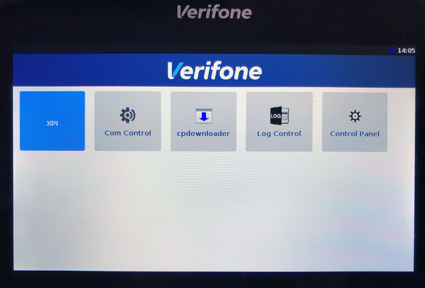
1.) Press the “1”, “5”, and “9” keys at the same time to open settings.

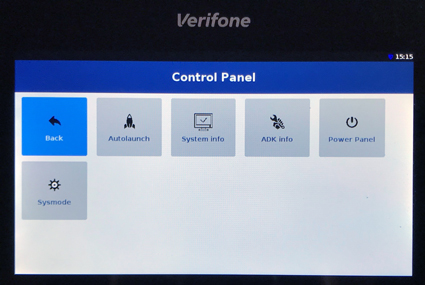
2.) Select “Control Panel” (scroll down if needed by dragging your finger upward).

Settings

3.) Select “Sysmode”.

Sysmode

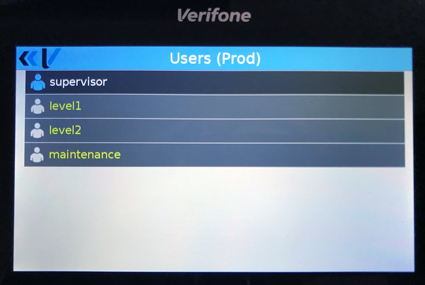
4.) Select “supervisor”.

Supervisor

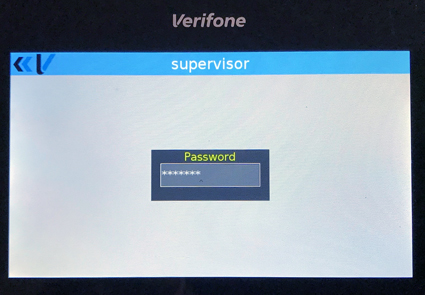
5.)  Type the supervisor password and press the “Enter (green)” key. This password can vary.

  • “1111111” 
    OR
  • “1166832” 
    OR
  • “1668321”
    OR
  • “1686321”
Supervisor password

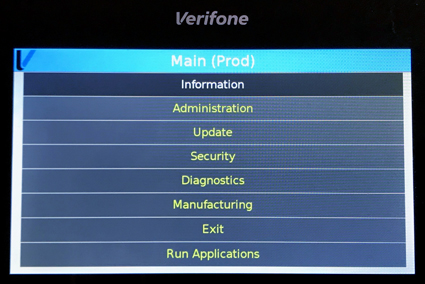
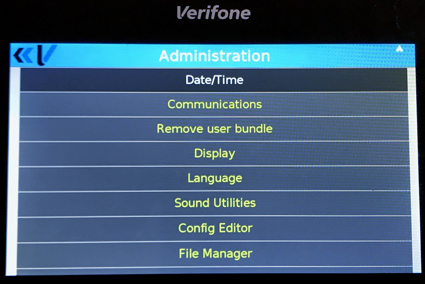
6.) Select “Administration”.

Administration

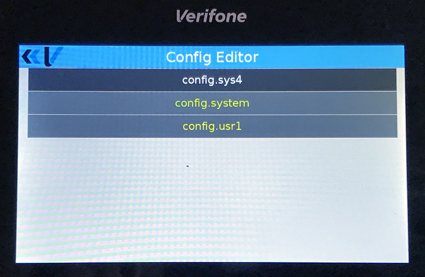
7.) Select “Config Editor”.

Config Editor

8.) Select “config.usr1”.

Configusr

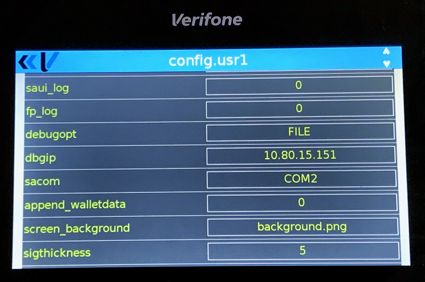
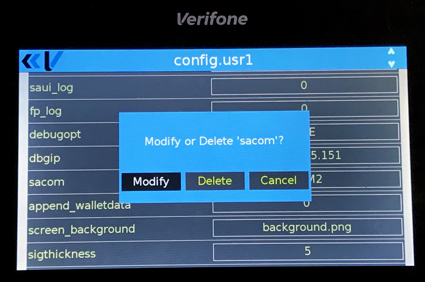
9.) Select “sacom” by touching its current value.

configusr

10.) Select “Modify”.

Modify

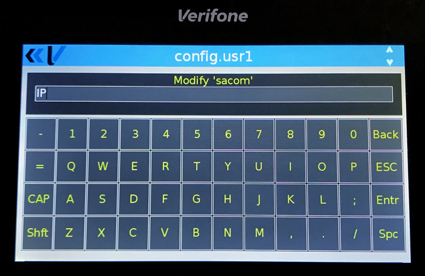
11.) Type “IP” .

IP

12.) Press the “Enter (green)” key.

13.) Press the “Cancel (red)” key 3 times to reach the Main menu.

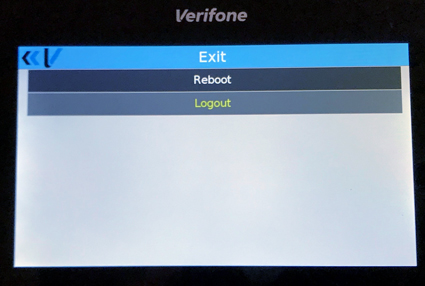
14.) Select “Exit”.

Administration

15.) Select “Reboot”.

Reboot